

After Shai-Hulud ripped through npm last November (700+ packages compromised, 25,000 repos exposed) the ecosystem settled on a defense playbook: disable lifecycle scripts, and commit your lockfiles. It became the standard advice everywhere from GitHub security guides to corporate policy docs. Makes sense. If malicious code can't run on install, and your dependency tree is pinned, you're covered. Right?
This got me thinking: what if there was a vulnerability that could allow attackers to just hop over those defenses? That would be terrible. I decided that if such vulnerabilities exist, I'd better find them before the bad guys do. So I went looking for holes in the defense playbook.
Found six zero-day vulnerabilities across npm, pnpm, vlt, and Bun, with bypasses for both script execution and lockfile integrity. pnpm patched (CVE-2025-69263, CVE-2025-69264). vlt patched. Bun patched. npm, now under Microsoft, closed my report. "Works as expected".
So here's where we are: the defenses everyone adopted after the worst npm supply chain attack in history have major gaps, and the biggest package manager in the ecosystem has decided those gaps aren't worth closing. If your organization depends on npm with --ignore-scripts as your safety net, that net has a hole in it right now. We're calling it PackageGate.
The Post-Shai-Hulud Playbook
When Shai-Hulud hit, the post-mortems wrote themselves. The worm spread through postinstall scripts, hijacking npm tokens and publishing malicious versions of any packages it could access. It was a masterclass in supply chain exploitation - and other attackers were paying attention too. Since Shai-Hulud, we've seen a meteoric rise in malware using this technique. In the months since, our team has detected hundreds of packages exploiting postinstall scripts.
Within weeks, --ignore-scripts went from power-user flag to standard recommendation. Security teams added it to their CI configs. Blog posts called it essential. The same went for lockfiles: commit your package-lock.json, and you've pinned your dependency tree to known-good versions. No surprises.
These two mechanisms became the accepted answer to supply chain risk in the JavaScript ecosystem. Disable scripts. Pin dependencies. Sleep well.
What These Defenses Actually Do
A quick primer for the uninitiated.
Lifecycle scripts are commands that run automatically during package installation. When you npm install, packages can define scripts that execute at specific moments: preinstall (before installation), install (during), and postinstall (after). This is how Shai-Hulud spread. A compromised package would run a postinstall script that exfiltrated tokens and infected other packages.
The --ignore-scripts flag (or ignore-scripts=true in your .npmrc) tells npm to skip these scripts entirely. No preinstall, no postinstall, nothing runs. The package gets installed, but any embedded scripts stay dormant.
Lockfiles work differently. When you first install dependencies, your package manager generates a lockfile (package-lock.json for npm, pnpm-lock.yaml for pnpm, etc.) that records the exact version of every package in your tree, plus integrity hashes. On subsequent installs, the package manager checks incoming packages against these hashes. If something doesn't match, installation fails.
Together, these mechanisms are supposed to guarantee: nothing runs that you didn't expect, and nothing installs that you didn't vet.
Bypassing Script Execution Prevention
The --ignore-scripts flag and its equivalents are supposed to prevent code from running during install. I found bypasses in all three package managers I tested.
npm has a git configuration option that specifies which git binary to use. When you install a git dependency, npm clones the repo and runs npm install inside it, loading any .npmrc file present. An attacker creates a git dependency containing a malicious .npmrc that points git=./malicious-script.sh, plus a nested git dependency. When npm processes that nested dependency, it runs the attacker's script instead of git. Full RCE, even with --ignore-scripts enabled. We have evidence that actors published a proof-of-concept abusing this technique to create a reverse shell in the past.
.png)
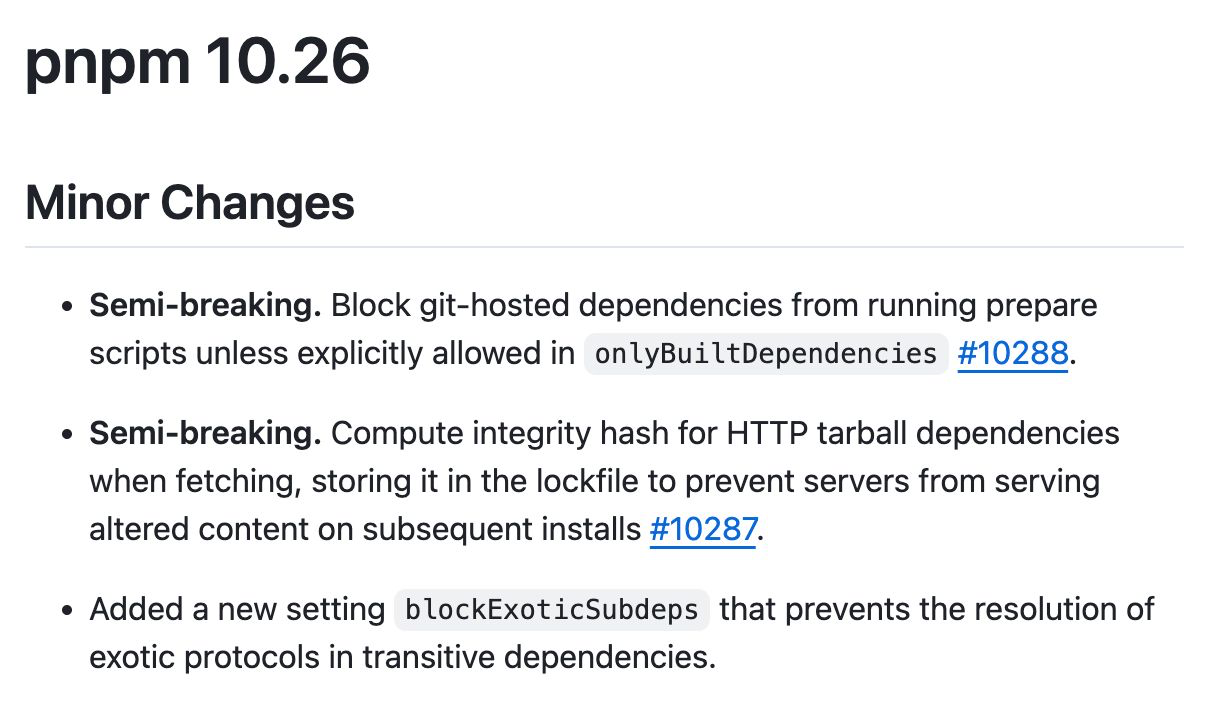
pnpm v10 introduced "scripts disabled by default" as a security feature, implemented through an allowlist called onlyBuiltDependencies. But this only applies to the build phase. Git dependencies go through a separate fetch phase where prepare, prepublish, and prepack scripts run unconditionally. The security setting is never checked. An attacker publishes a git dependency with a prepare script, and it executes without any prompt or warning.
vlt had a path traversal bug in its tarball extraction. The regex meant to block ../ sequences treated ^ as a literal character instead of a start-of-string anchor. A path like package/../../../.bashrc sailed right through. An attacker could craft a tarball that writes files anywhere on the filesystem, including overwriting the user's git binary. When vlt then clones an inner git dependency, it executes the attacker's code.
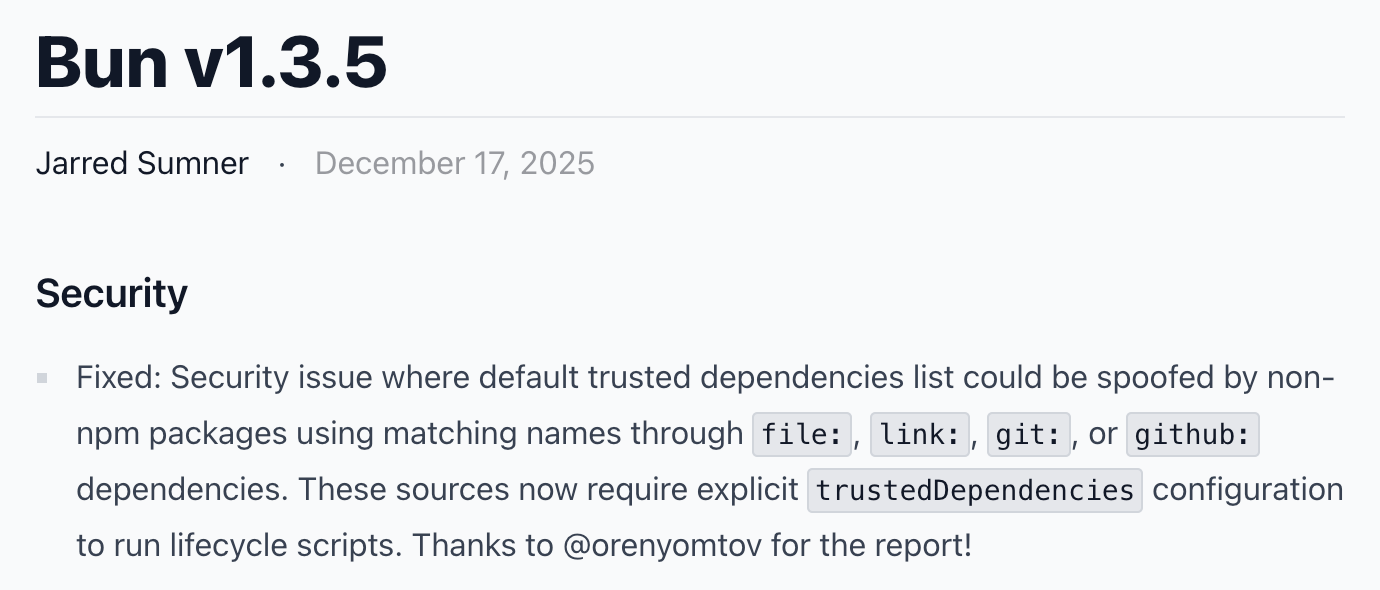
Bun has a trustedDependencies mechanism that's supposed to whitelist which packages can run lifecycle scripts. But the trust check only validates the package name, not its source. Bun also ships with a default list of 366 trusted package names (such as esbuild, sharp, playwright). An attacker can create a malicious tarball or git sub-dependency using one of these trusted names, and Bun will happily run its scripts. Name a sub-dependency esbuild, point to an http url or a git repo, and your postinstall script executes bypassing the requirement for explicit trust configuration from the victim.
Bypassing Lockfile Integrity Checks
Lockfiles are supposed to guarantee that what you installed yesterday is what you install today. The integrity hash is the mechanism: if the content doesn't match the hash, installation fails.
pnpm and vlt both stored HTTP tarball dependencies without integrity hashes. These "remote dynamic dependencies" (URLs pointing to tarballs hosted anywhere) get recorded in the lockfile by URL alone, with nothing to verify the content.
This means a malicious dependency can point to an HTTP tarball, and the server can return different code every time it's requested. First install: benign code that passes your security review. Second install in CI: malicious payload. The lockfile is committed, the URL hasn't changed, but the code is completely different.
An attacker who gets a package into your dependency tree (even several layers deep) can serve targeted payloads based on timing, IP address, or whatever other signals they want. Your lockfile provides no protection. We've already seen this in the wild. PhantomRaven, a campaign we detected in October, used RDD to hide malicious code from every security scanner on npm, gaining over 86,000 downloads.
The Disclosure Process
We reported PackageGate vulnerabilities to all four package managers.
We filed the vulnerability to npm via HackerOne. They closed the ticket. Their explanation: "npm users are responsible for vetting the content of packages that they choose to install.". They also cited documentation for the npm registry, not the npm client where the vulnerability actually exists. It left us wondering whether the report received a thorough review.
What makes this response particularly striking is that npm's own bug bounty program explicitly lists "Arbitrary script execution upon package install with the --ignore-scripts flag" as a focus area.
We asked them several times to reconsider, pointing out the documentation mistake. No reply. As a last resort, we used personal connections to reach someone on the npm team who might reconsider. Unfortunately, this attempt also bore no fruit.
The other package managers responded differently. pnpm is maintained by a small team, yet they responded immediately and fixed the issue in under two weeks. vlt is a pre-1.0 project built by ex-npm engineers who left Microsoft, and they fixed it in 8 days. Bun acknowledged the report and shipped a fix in version 1.3.5 within three weeks. All three teams were professional, took the reports seriously, and acted quickly to protect their users. It was genuinely encouraging to see that level of commitment to the security of their users.
But with npm refusing to act, we faced a difficult decision. Publishing an unpatched vulnerability in infrastructure this critical isn't something we take lightly. It's not what we wanted. But we also couldn't ignore the reality: if we found this in under a week, state-sponsored attackers almost certainly have too. Staying silent started to feel like the riskier choice.
So, reluctantly, we decided to go public. Not to shame npm, but because people and organizations deserve to know what they're relying on, and to make their own informed choices. There are alternative package managers that take security seriously. We wish this post wasn't necessary.
What You Should Actually Do
The standard advice isn't wrong, it's just incomplete. You should still:
- Commit your lockfiles to source control. This remains your best defense against remote dynamic dependencies and unexpected version changes. If you're not doing this, start today.
- Use
--ignore-scriptsor equivalent. npm has--ignore-scripts, pnpm has enable-scripts=false, and Bun uses trustedDependencies. Turn them on. - Update your package managers to the latest versions. Vulnerabilities like these are found periodically and patched in newer releases. Whatever package manager you use, keep it current.
- Consider your package manager choice. pnpm offers stricter defaults and more granular security controls than npm. vlt, while still pre-1.0, is built by people who understand npm's weaknesses firsthand and are designing around them. Competition in this space is healthy.
Final Thoughts
We didn't write this post to shame anyone. We wrote it because the JavaScript ecosystem deserves better, and because security decisions should be based on accurate information, not assumptions about defenses that don't hold up.
The standard advice, disable scripts and commit your lockfiles, is still worth following. But it's not the complete picture. Until PackageGate is fully addressed, organizations need to make their own informed choices about risk.
This research was conducted by the team at Koi. We built Koi to catch exactly these kinds of threats: attackers exploiting the gaps in package manager defenses that this post exposes. While npm's security mechanisms can be bypassed, our risk engine Wings watches what packages actually do during installation. Network requests, file system access, script execution, behavioral patterns that reveal malicious intent regardless of how the code got there.
Trusted by Fortune 50 organizations and some of the largest tech companies in the world, Koi helps security teams gain visibility and governance over the third-party code flowing into their environments.
Book a demo to see how our agentic AI risk engine catches threats that slip past traditional defenses.
Stay safe out there.
Disclosure Timeline
npm --ignore-scripts bypass
- 2025-11-26: Initial report submitted to HackerOne (#3442684)
- 2025-11-26: Vendor acknowledged receipt
- 2025-12-05: Report closed as "Informative" — vendor claims intentional design
- 2025-12-06: Challenged closure; noted --ignore-scripts should prevent RCE
- 2025-12-07: Noted other JS package managers accepted similar reports
- 2025-12-08: Pointed out vendor cited wrong docs (registry vs CLI); requested mediation
- 2025-12-11: Emailed npm engineer directly (via intro) requesting second look (no reply)
- 2025-12-18: Notified vendor of planned public disclosure
Status: Closed as Informative